> For the complete documentation index, see [llms.txt](https://docs.wawf.app/wa-workflow/llms.txt). Markdown versions of documentation pages are available by appending `.md` to page URLs; this page is available as [Markdown](https://docs.wawf.app/wa-workflow/features/broadcast.md).
# Broadcast
The Broadcast feature allows users to send messages to multiple contacts in a structured, efficient, and customized manner.
#### Table of Contents
1. [Broadcast Overview](#id-1.-broadcast-overview)
2. [Contact Selection Options](#id-2.-contact-selection-options)
3. [Broadcast Settings and Options](#id-3.-broadcast-settings-and-options)
4. [Message Personalization and Formatting](#id-4.-message-personalization-and-formatting)
5. [Sending Options and Finalization](#id-5.-sending-options-and-finalization)
***
### 1. Broadcast Overview
The **Broadcast Feature** enables users to reach multiple contacts simultaneously through a tailored messaging approach. With options for personalized messages, grouping, and sending multiple message formats, this feature optimizes communication for various needs, whether it's one-to-one, in groups, by label, or tabs.
***
English Image
Portuguese Image
### 2. Contact Selection Options
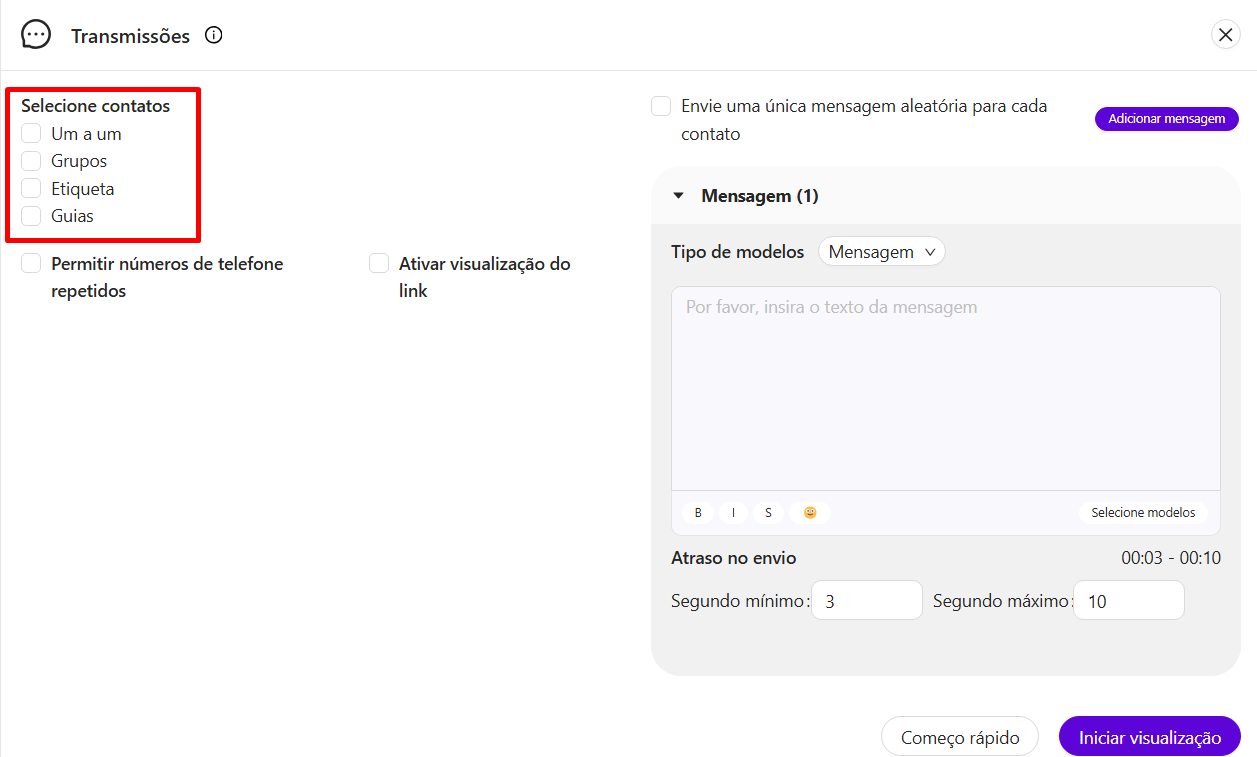
Within the Broadcast feature, you can select specific contacts to whom the message will be sent. There are four primary options for choosing contacts:
English Image
Portuguese Image
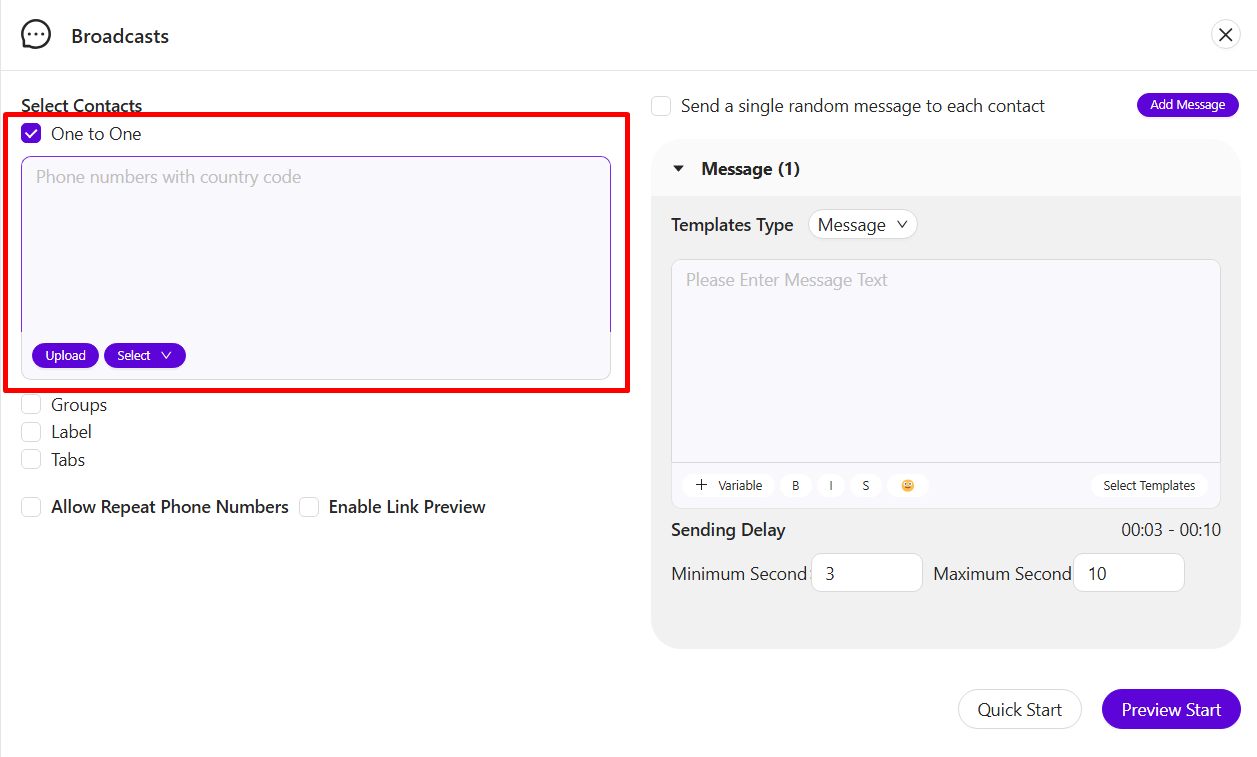
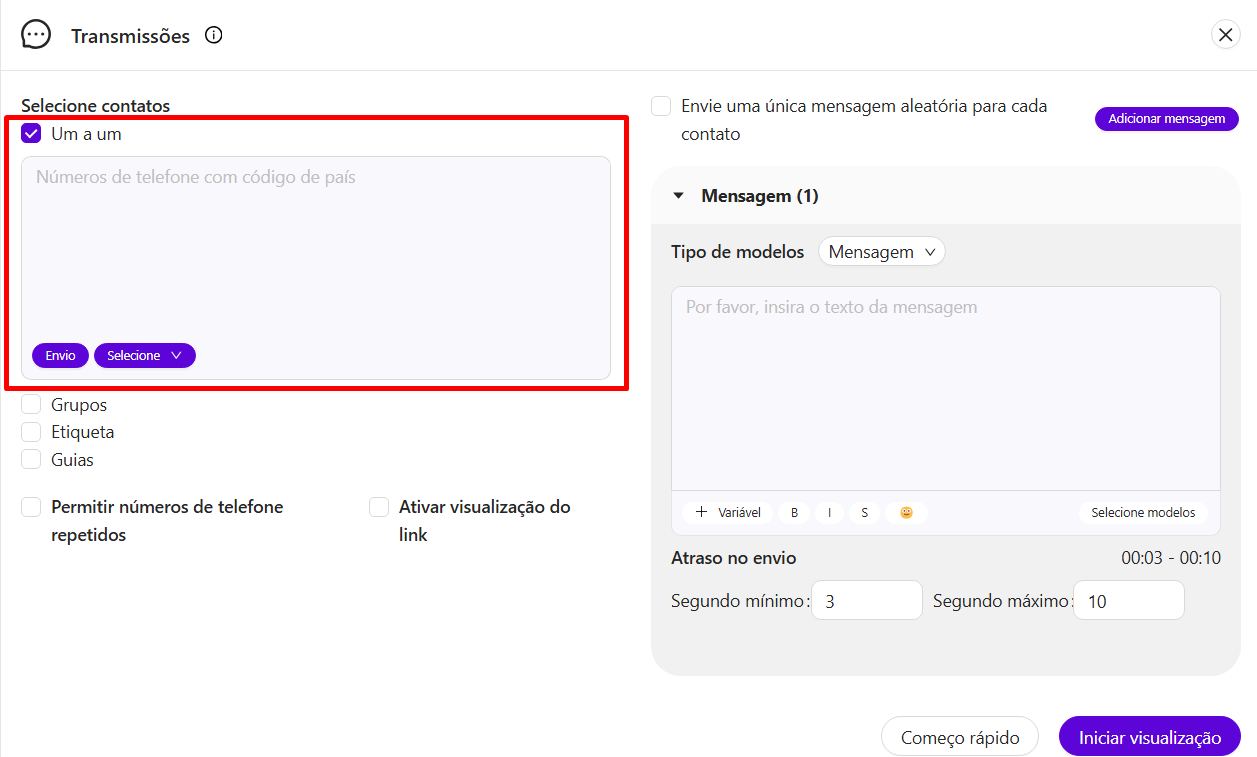
#### 2.1 One-to-One
* This option allows you to directly select individual contacts.
English Image
Portuguese Image
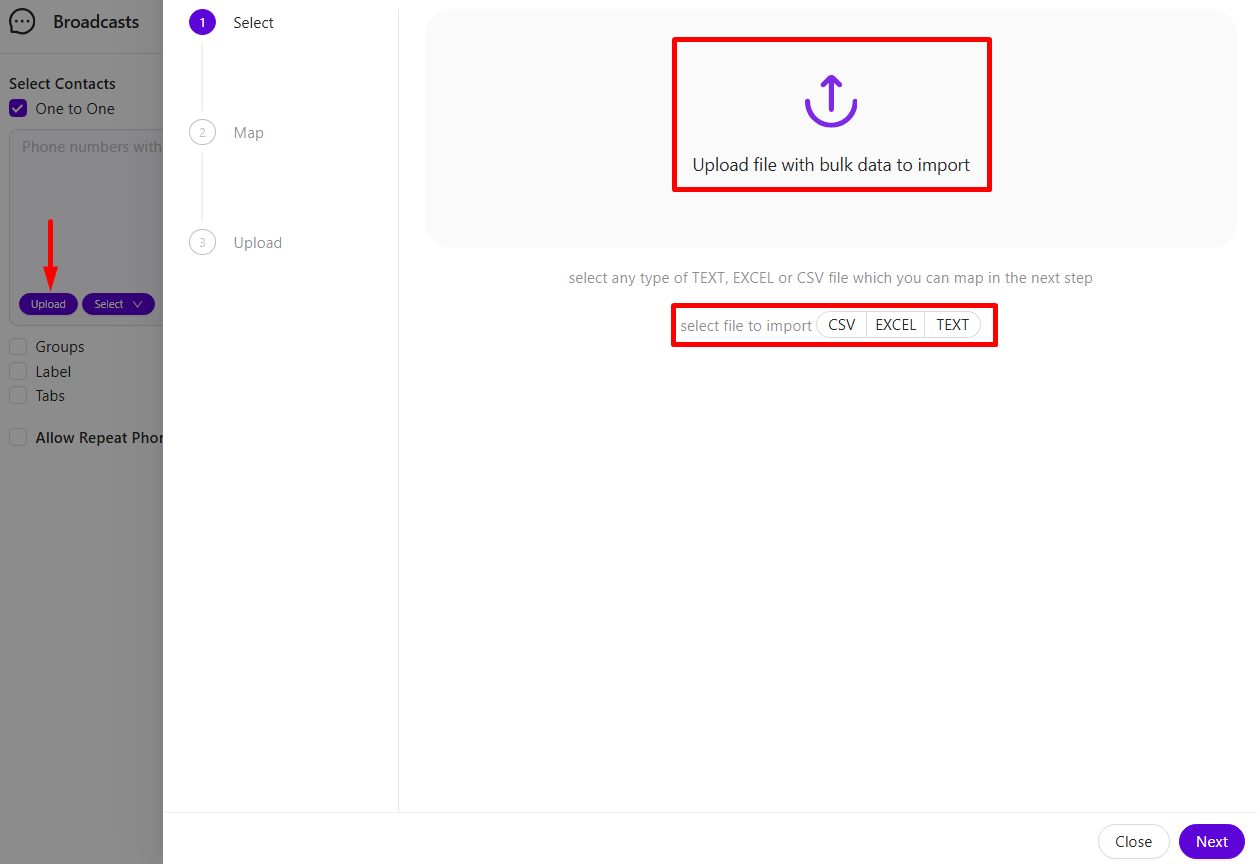
* **Options within One-to-One**:
* **File Upload**: Upload contact lists using supported formats like Excel, CSV, or TXT files. Sample files are available for download as templates.
English Image
Portuguese Image
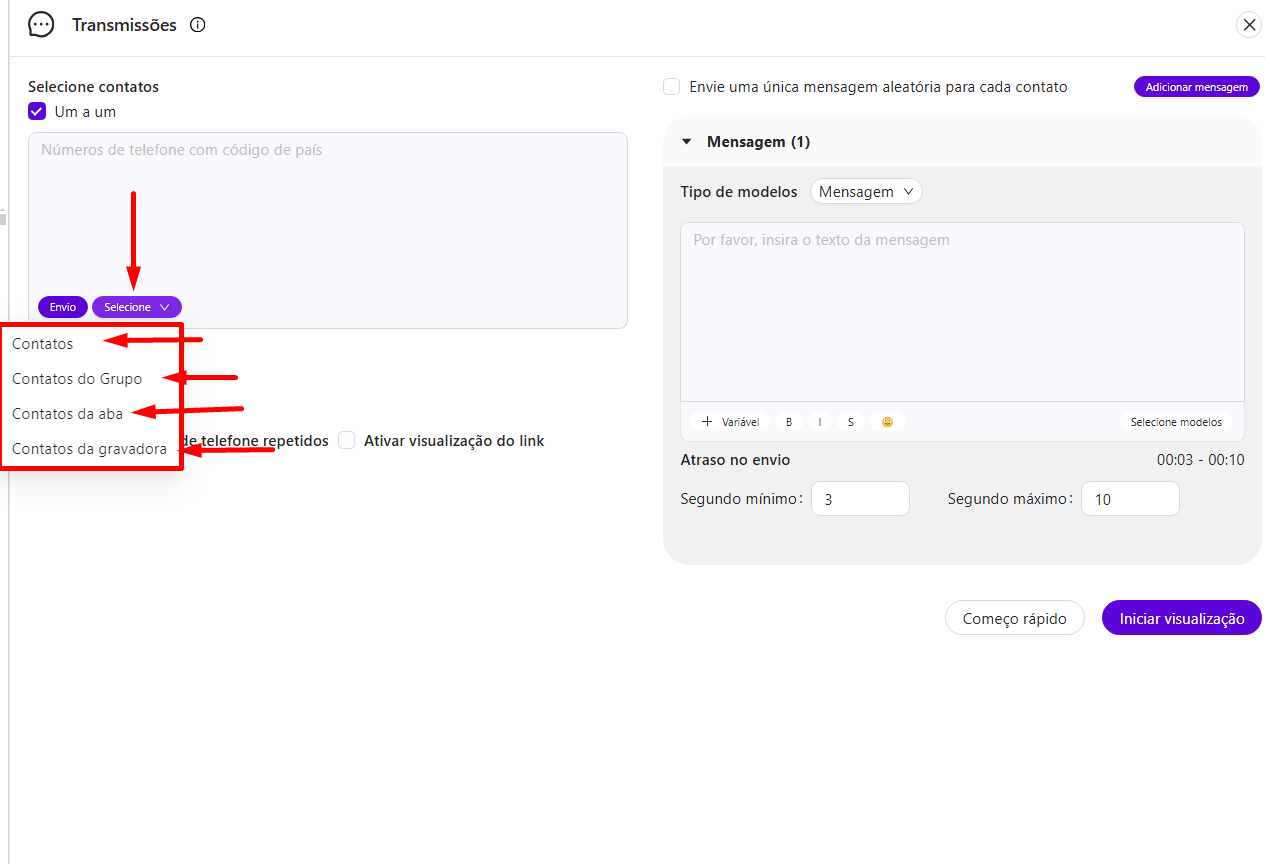
* **Manual Addition**: Add contacts directly by selecting from existing contacts, groups contacts, labels contacts, or tabs contacts.
English Image
Portuguese Image
#### 2.2 Groups
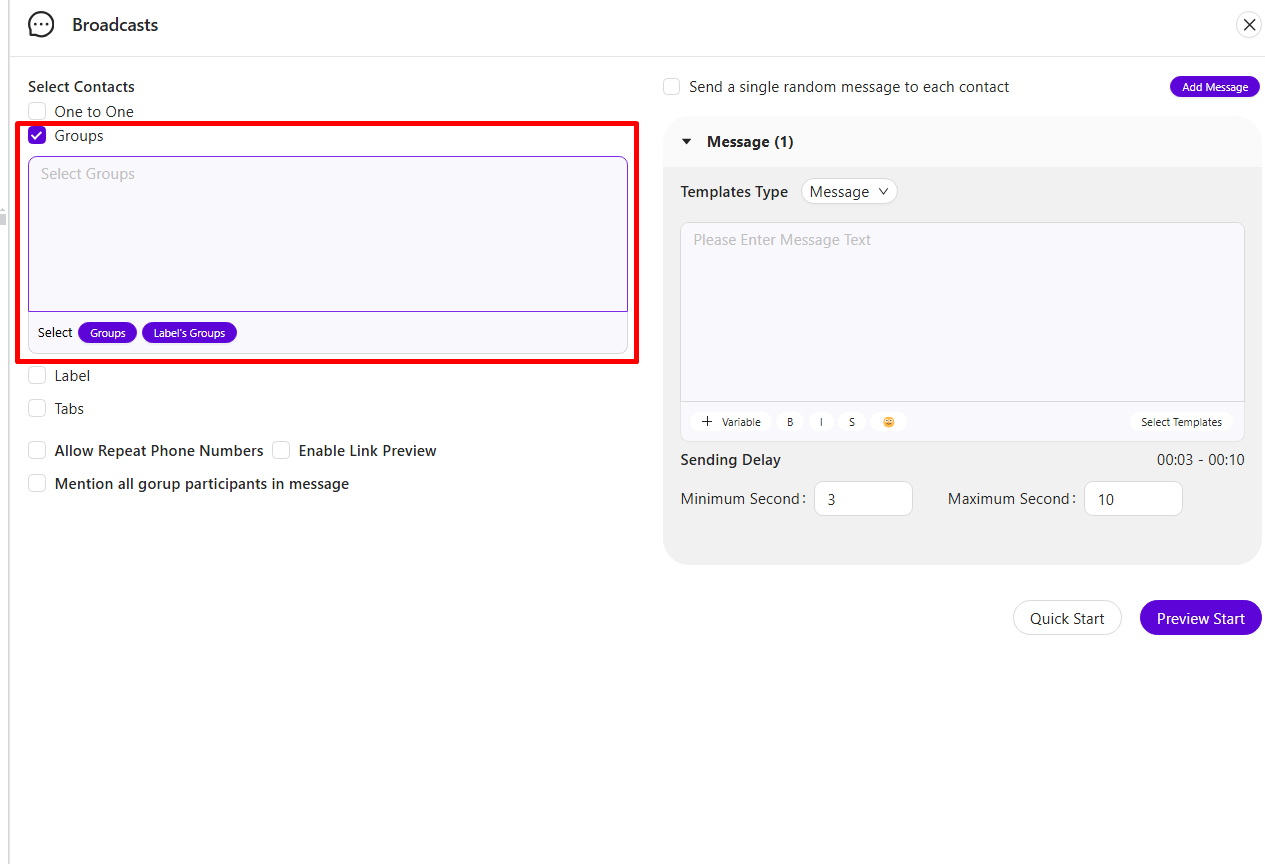
* This option lets you select entire groups to send your broadcast.
English Image
Portuguese Image
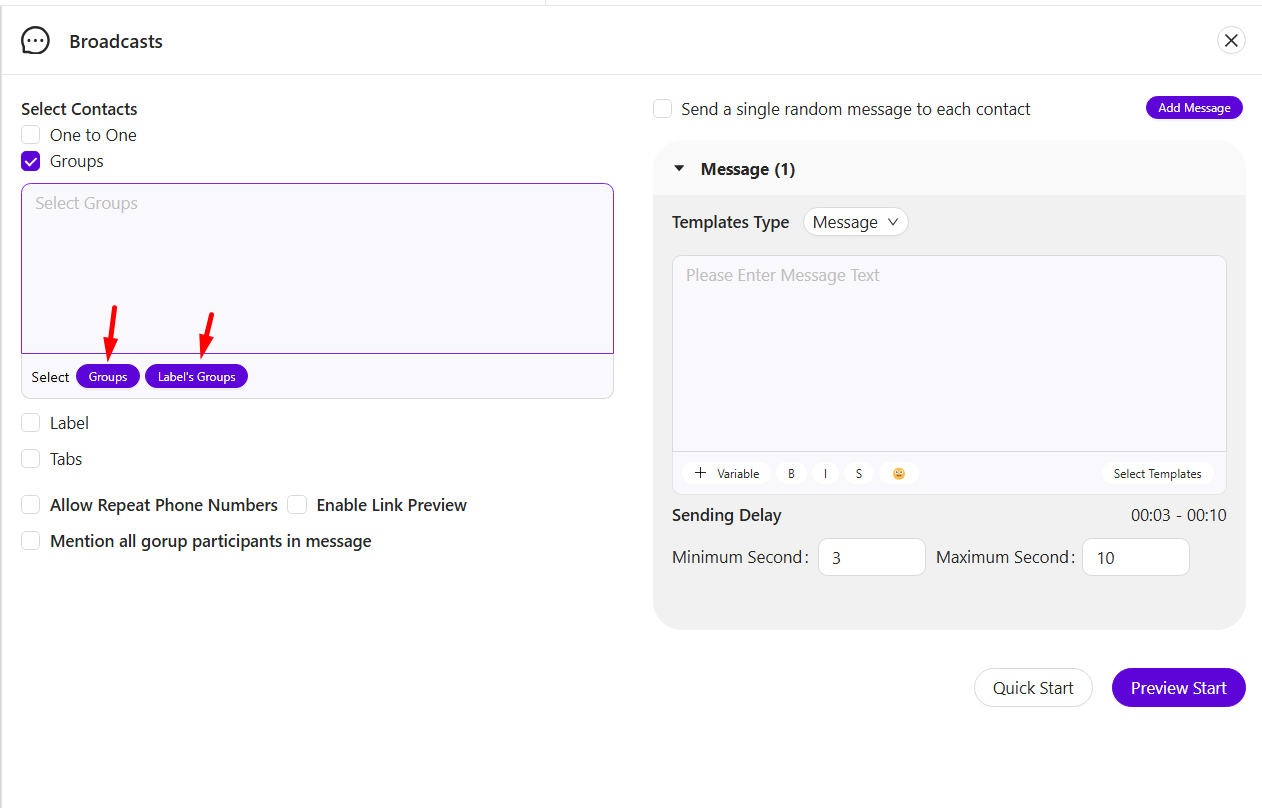
* **Options within Groups**:
* Select pre-existing groups directly.
* Add groups with specific labels to reach a categorized audience.
English Image
Portuguese Image
#### 2.3 Labels
* Use labels to add all contacts categorized under a specific label with a single click. This is helpful for managing large contact lists with custom labels.
English Image
Portuguese Image
#### 2.4 Tabs
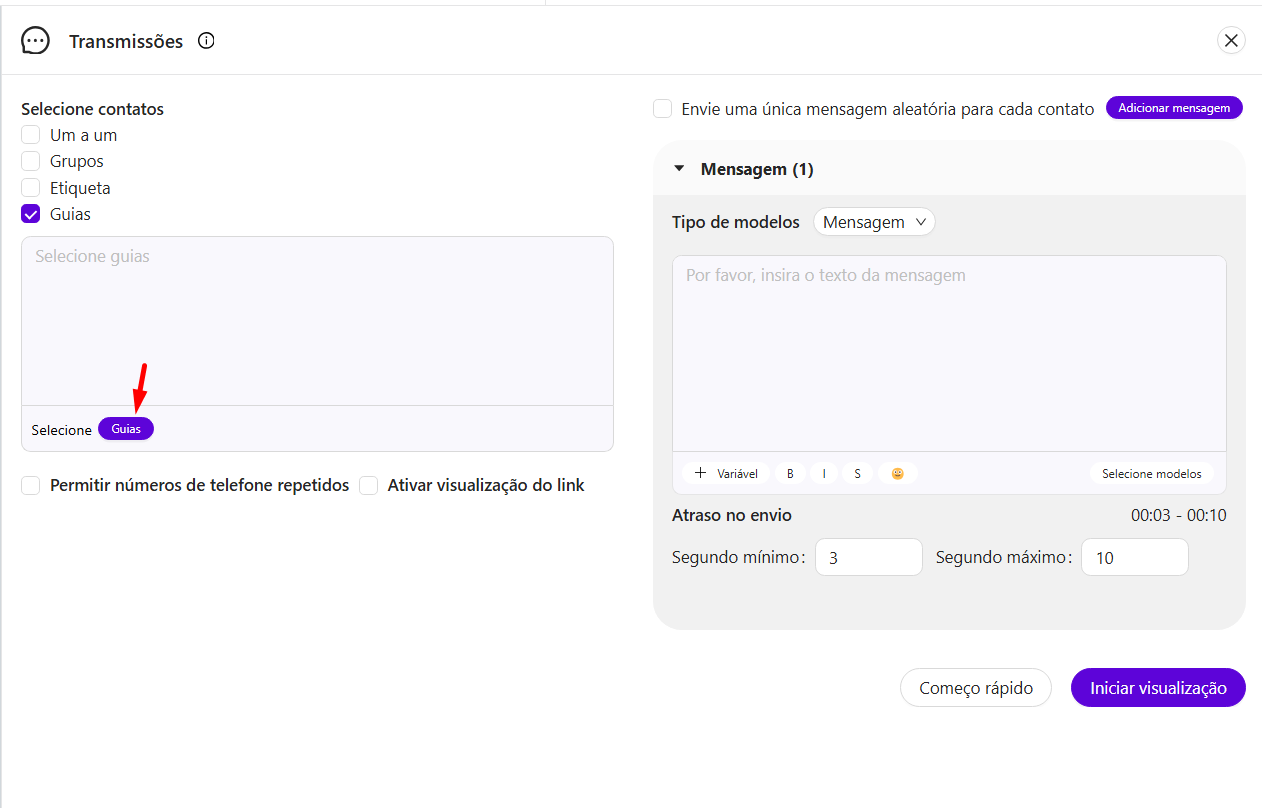
* If you have set up a separate contact filter tab within the extension, you can select contacts from this tab here, enabling a filtered contact selection.
English Image
Portuguese Image
***
### 3. Broadcast Settings and Options
The Broadcast feature provides additional settings to further control and customize message sending:
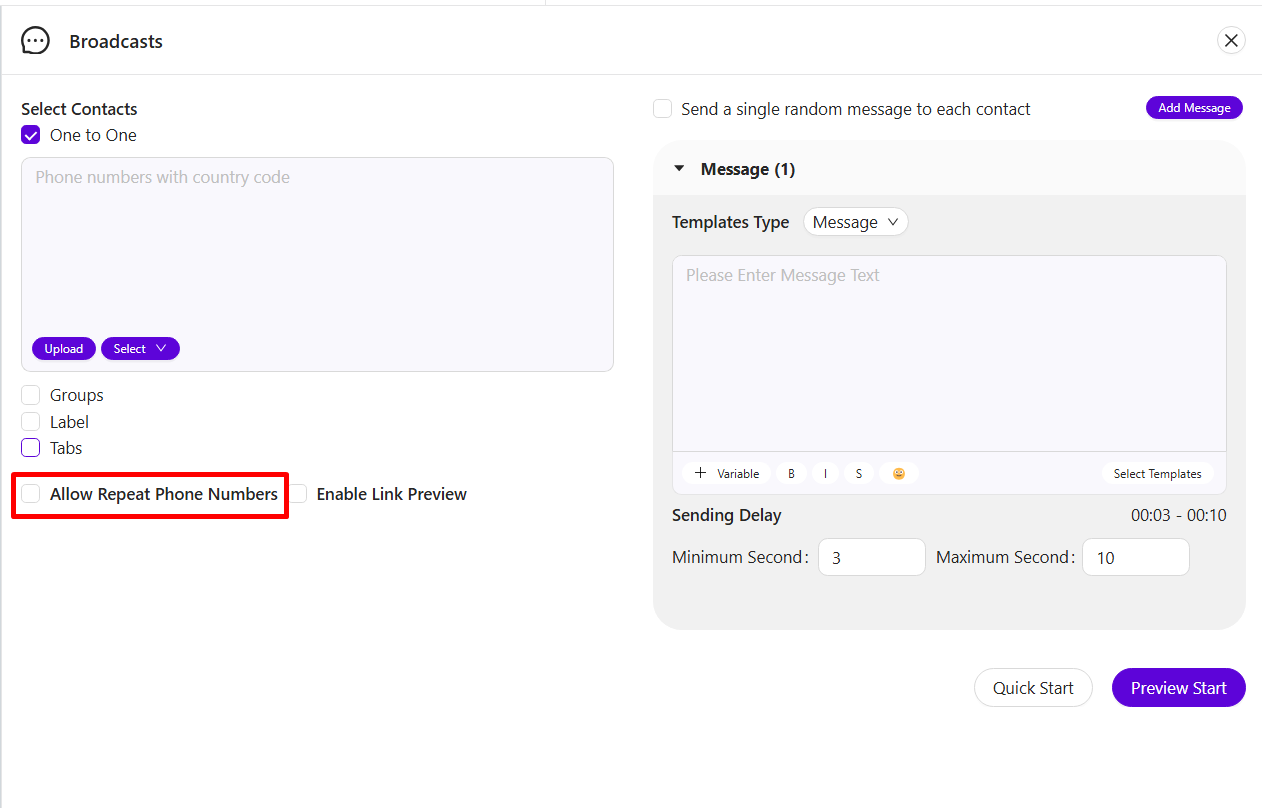
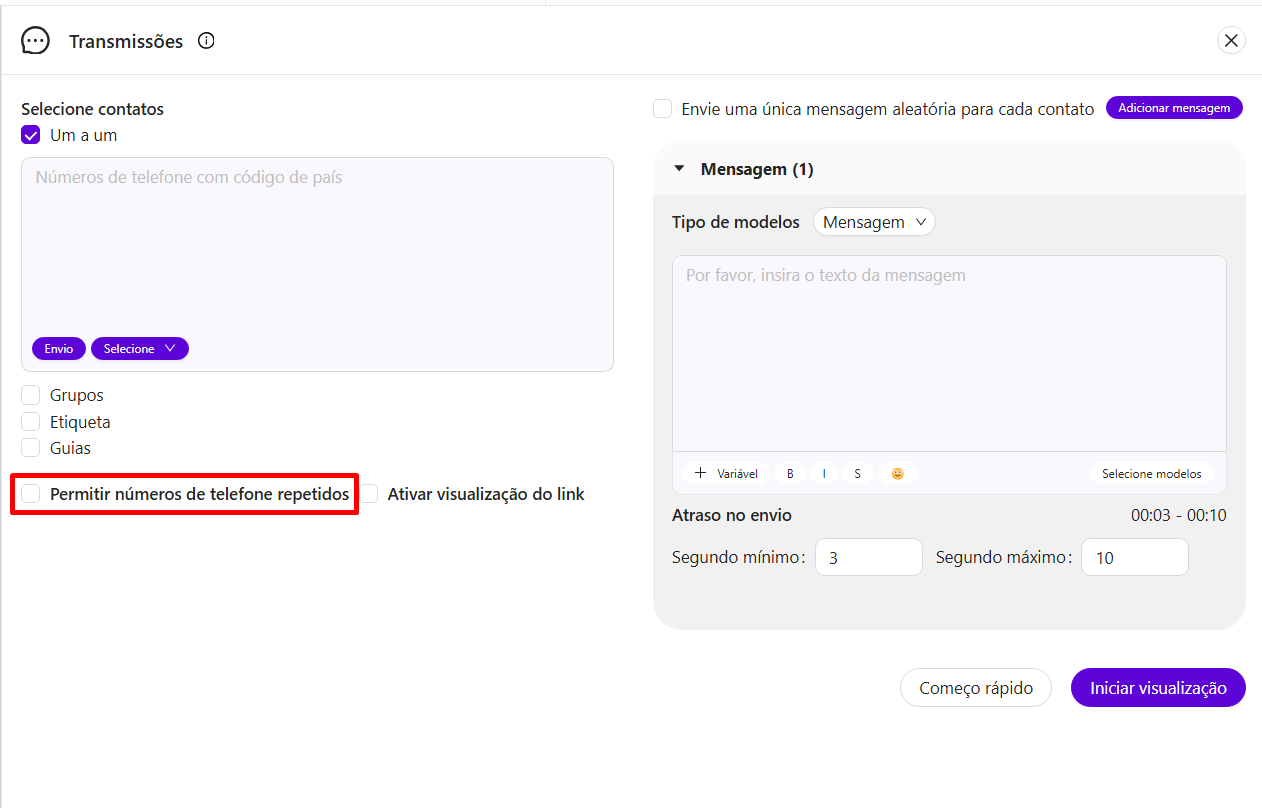
#### 3.1 Allow Repeat Phone Numbers
* Enabling this setting will allow messages to be sent to duplicate phone numbers in your list.
English Image
Portuguese Image
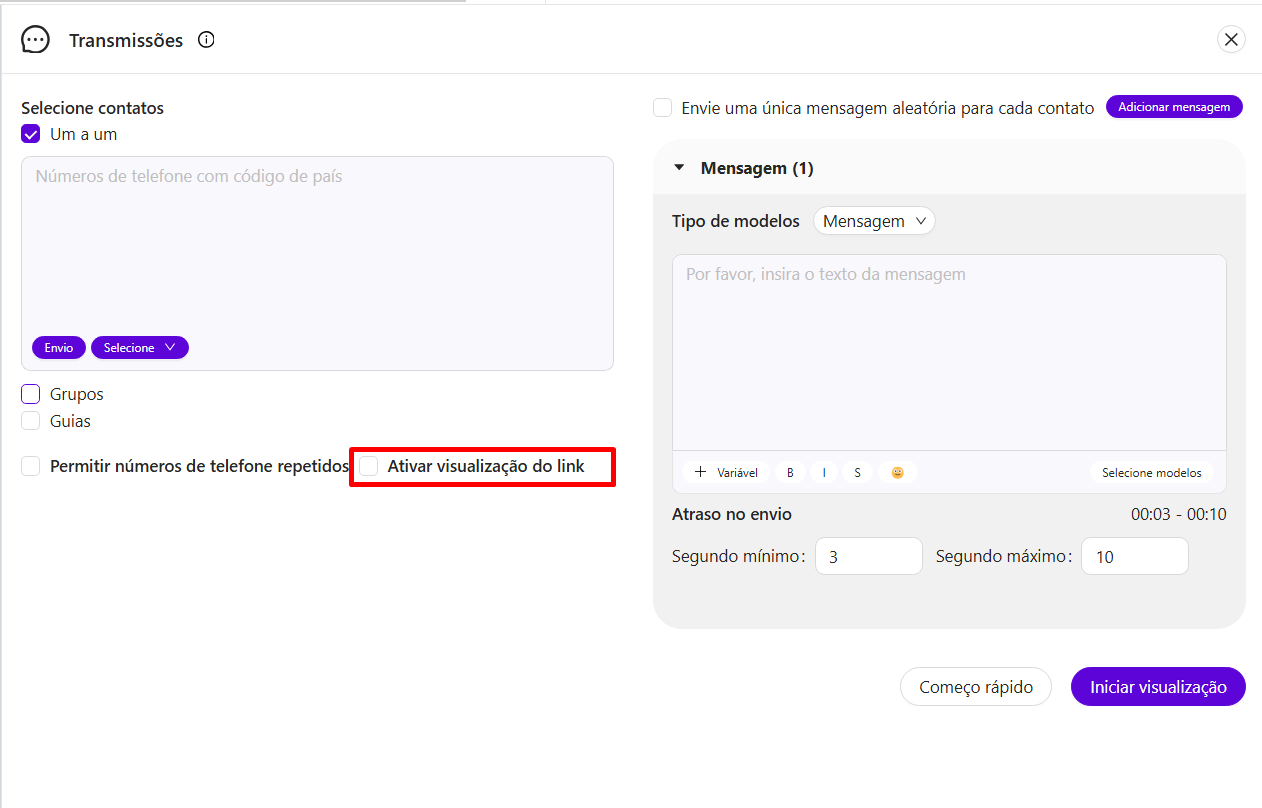
#### 3.2 Link Preview
* Select this option to enable a preview for any links included in your message, which improves engagement by providing a visual preview to the recipient.
English Image
Portuguese Image
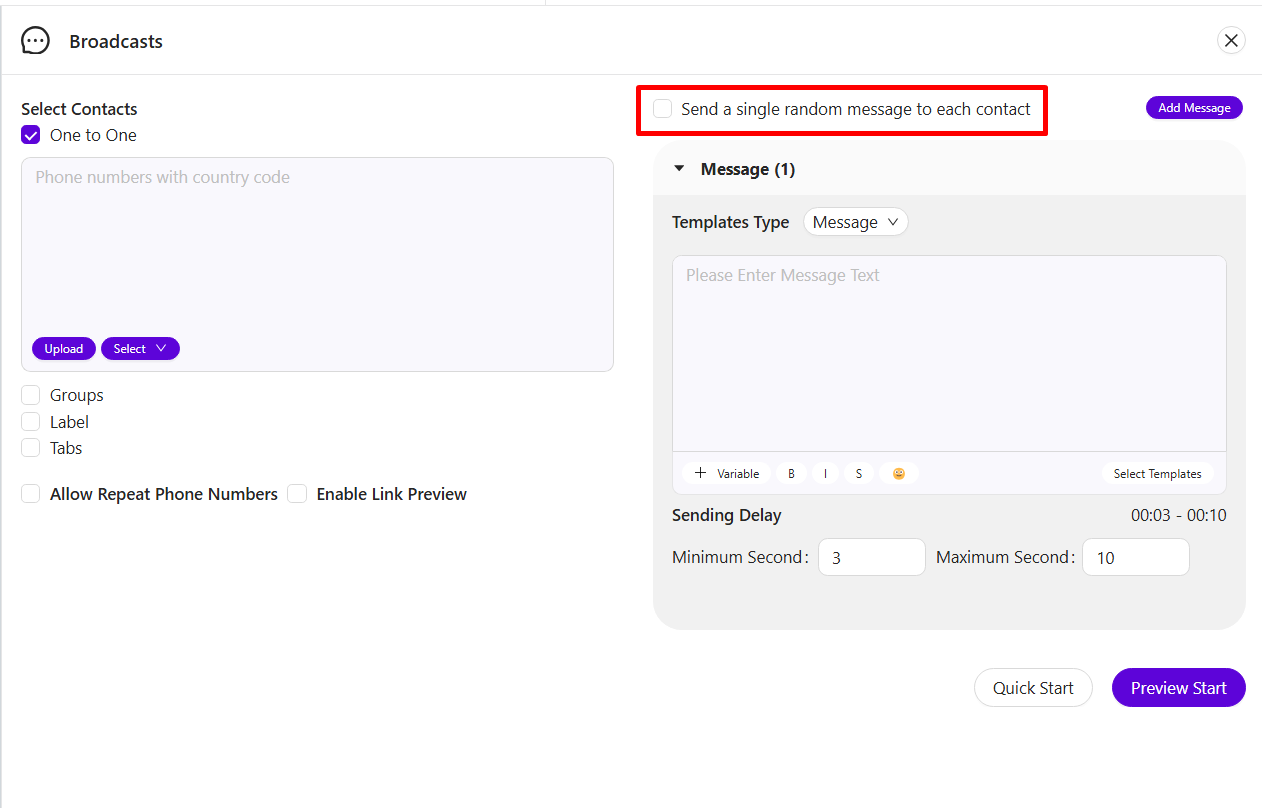
#### 3.3 Random Message
* This feature lets you send different messages to each contact when you have multiple messages in the queue.
* **Example**: If you have added 10 contacts and 10 messages, each contact will receive a unique message from the list.
English Image
Portuguese Image
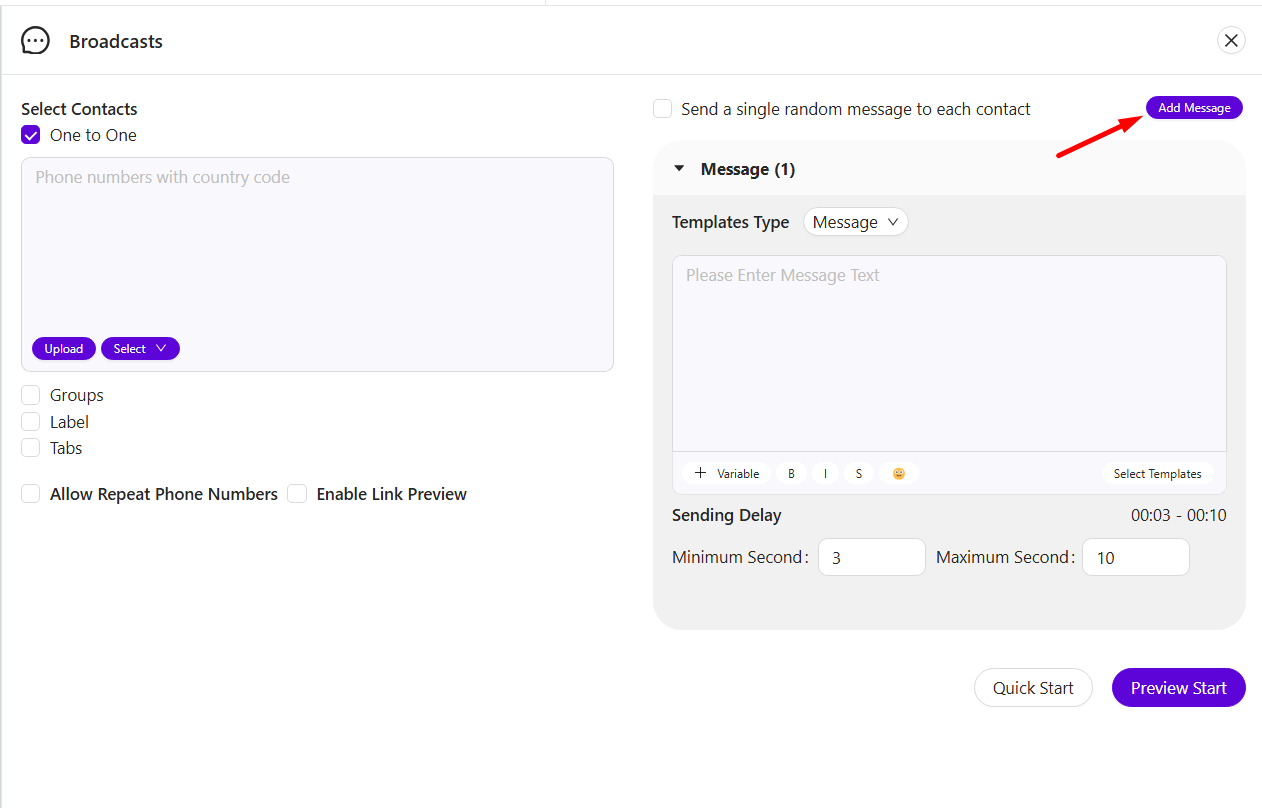
#### 3.4 Add Message
* Add multiple messages to be sent out in one broadcast, allowing for variety in communication.
English Image
Portuguese Image
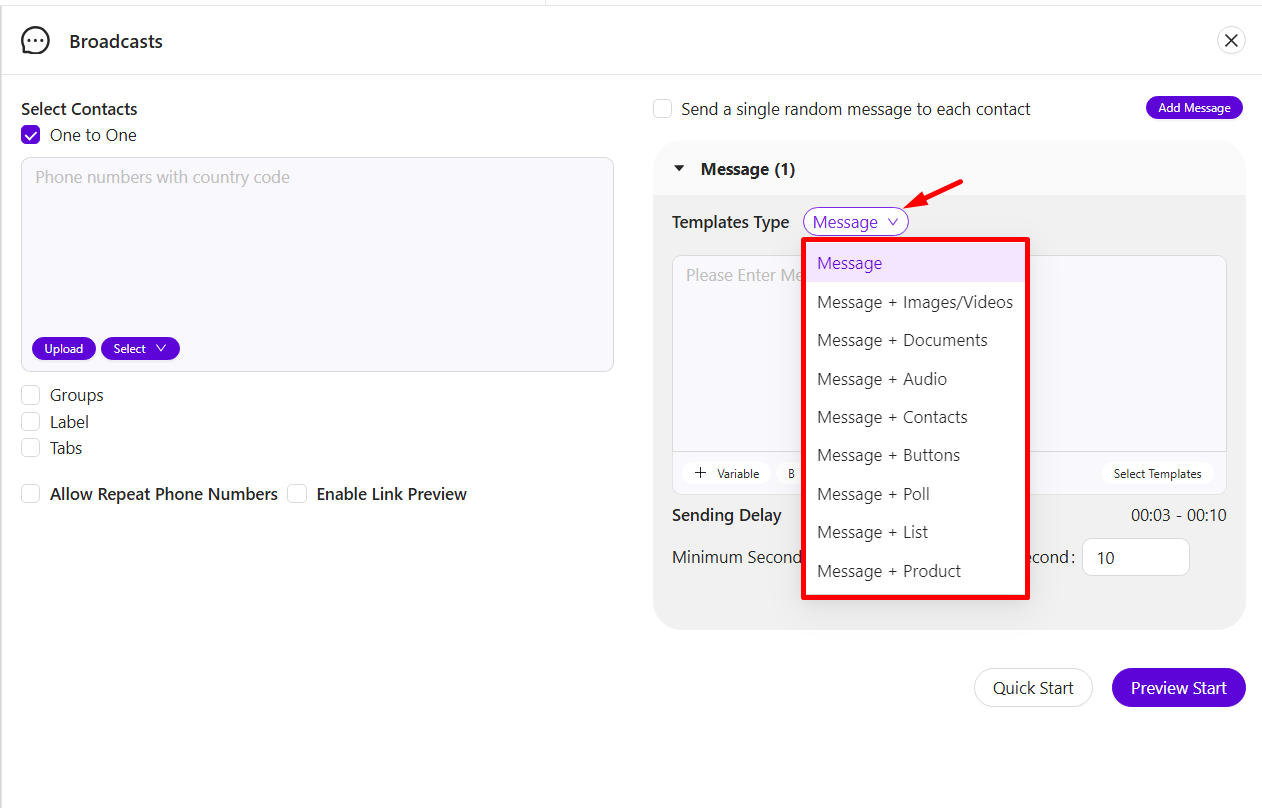
#### 3.5 Template Type
* Choose the message format to match your communication needs:
* Text message
* Message with Image/Video
* Message with Document
* Message with Audio
* Message with Contacts
* Message with Buttons
* Message with Polls
* Message with List Buttons
* Message with Products
English Image
Portuguese Image
***
### 4. Message Personalization and Formatting
To enhance engagement and make messages more relevant, personalization and formatting options are available:
#### 4.1 Personalization (Variables)
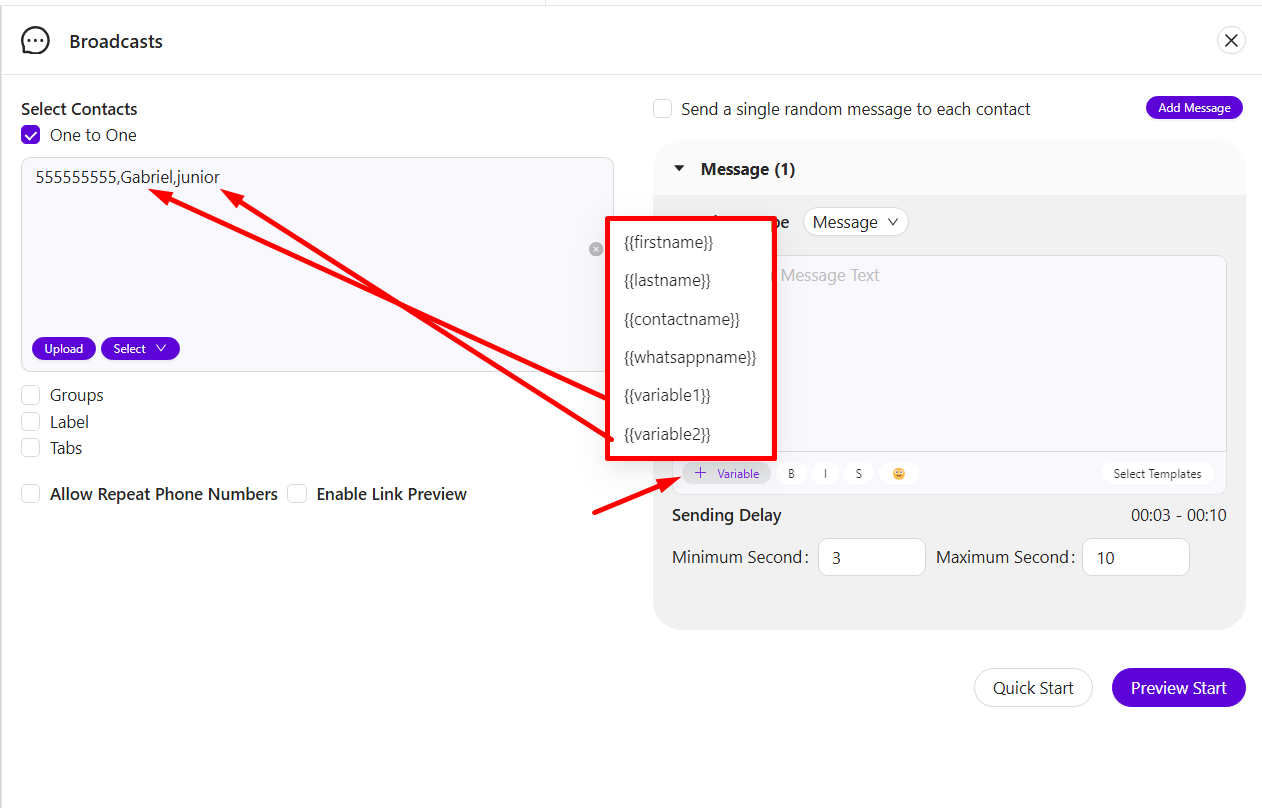
* Personalize messages with variables like:
* **First Name**, **Last Name:** This will only work if you select your saved contacts.
* **Contact Name**, **WhatsApp Name: This** Will only work if you Have saved contacts or customers add whatsapp names.
* **Custom Variables**: Manually enter values like Variable 1 or Variable 2 to add unique data specific to each contact.
English Image
Portuguese Image
#### 4.2 Text Formatting
* Use formatting tools to style your message:
* **Bold**: Highlight important text.
* **Italic**: Add emphasis to words or phrases.
* **Strikethrough**: Strike out text as needed.
* **Emojis**: Add emojis to make the message more expressive and friendly.
English Image
Portuguese Image
#### 4.3 Select Template
* Choose from pre-made templates to save time. Templates are reusable message formats that can be quickly selected and customized for the broadcast.
English Image
Portuguese Image
***
### 5. Sending Options and Finalization
After setting up your broadcast, finalize your sending options:
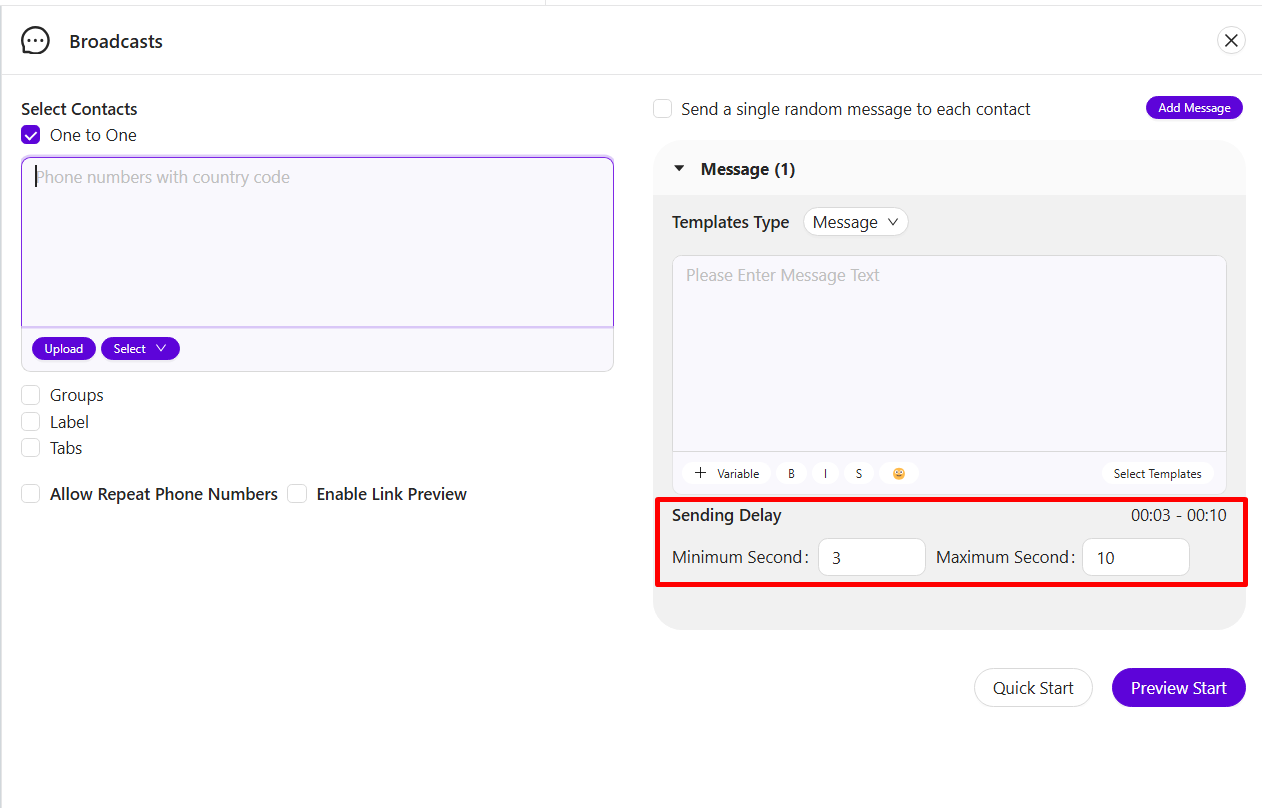
#### 5.1 Sending Delay
* Set a time delay between each message, allowing a controlled pace for message delivery.
English Image
Portuguese Image
#### 5.2 Quick Start
* Start sending the broadcast immediately by selecting **Quick Start**.
English Image
Portuguese Image
#### 5.3 Preview Start
* Use **Preview Start** to review all details before sending. This ensures accuracy in contact selection, message content, and settings.
English Image
Portuguese Image
***
This guide provides a detailed overview of the Broadcast feature, helping you maximize its potential for effective communication. Each setting and option is designed to offer flexibility and precision, ensuring that messages are delivered exactly as intended.
{% embed url="" %}